Overview
Manual File Export from a List View
SmartSimple enables system administrators to configure specific Types to be utilized as payments, thereby allowing for the integration of information from accounting software such as QuickBooksTM.
Configuration
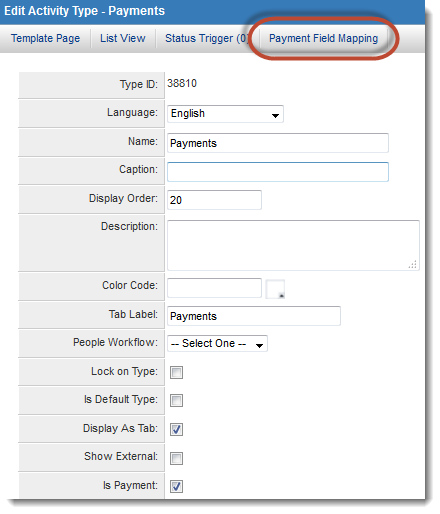
This feature is set up on the Type Settings page. In this instance, a Level 2 type designated as "Payments" will be employed to integrate with an external instance of QuickBooks.Select the Is Payment option from the Type Settings page and click Save.
The Payment Field Mapping tab will become visible at the top of the page:
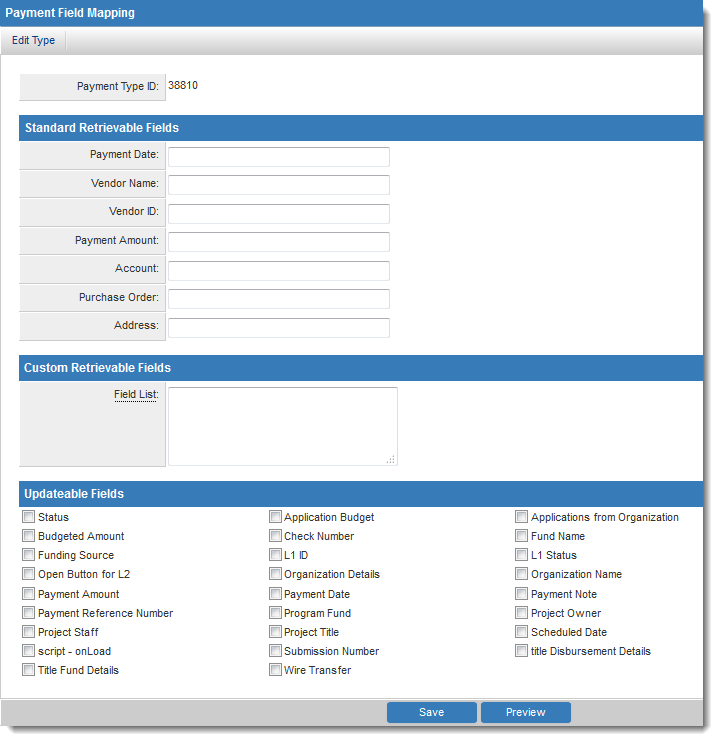
The Payment Field Mapping screen will be displayed:
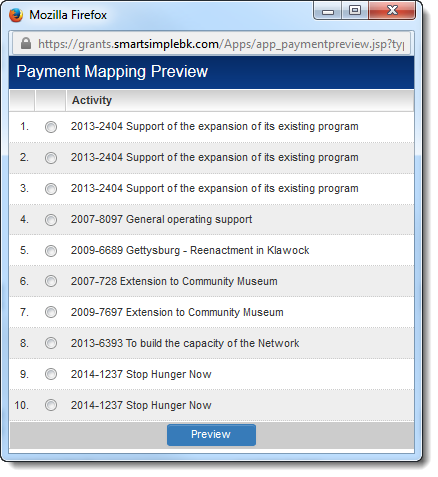
To preview the imported financial data for a record, click on the Preview button located at the bottom of the Payment Field Mapping screen:
Exporting
A significant feature of SmartSimple List Views is the ability to export list view results with a single click.The Custom Export options must be configured for the list view, incorporating the appropriate column headers and fields.
Automated Payment Integration - File Mediated
Overview
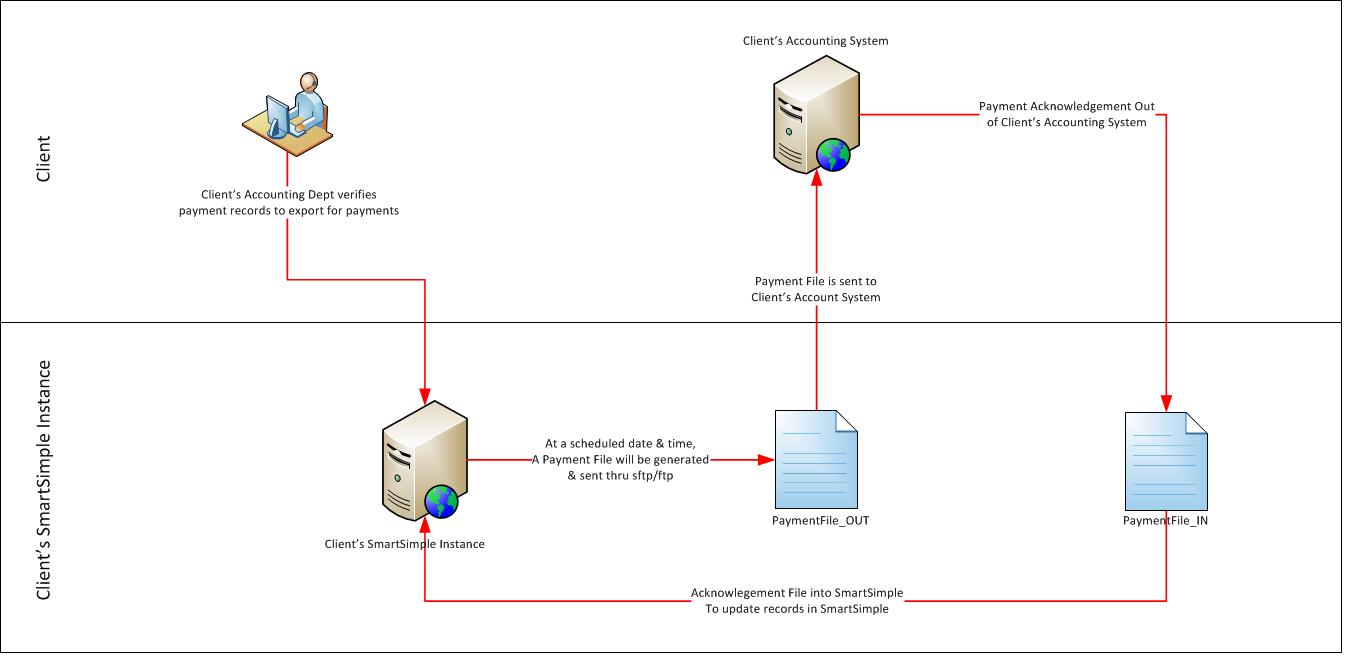
SmartSimple Payment integration is capable of interfacing with any accounting software or system. It can be configured to send and receive cheque requisition information to and from the client’s accounting system.